Dual-system catalog drift
Shopify and Odoo both held product/operations data. Without reliable sync and rules, teams re-keyed changes and created inconsistent catalogs.
Python · React · Node.js · AI · Odoo delivery · Odoo Learning Partner


Shopify storefronts connected to Odoo operations — connector sync, stock-aware merchandising, multi-website infrastructure, and custom Product Automation with logging and Manual Run.
Built for two readers: executives can scan the summary and impact cards; technical leads can continue into architecture, highlights, and workflows.
8+
Months long-term support
Rules
Product Automation layer
Bi-dir
Shopify↔Odoo sync
Technologies
Solutions delivered
Technology stack
01 · Executive summary
Client · problem · solution · business value — in under two minutes.
Client: a retail and digital ecommerce business using Shopify as a primary sales channel and Odoo as the operational backbone.
Problem: catalog changes, merchandising rules, and stock-aware selling were drifting between systems when teams relied on spreadsheets or one-off admin edits.
Solution: Shopify↔Odoo connector workflows hardened for production, multi-website ecommerce infrastructure, stock-aware merchandising, and a custom Product Automation module for domain-based product.template rules with logs and Manual Run.
Business value: less dual maintenance on catalog operations, operator-owned automation rules, and storefront behaviour that reflects ERP inventory reality.
02 · Business challenges
Shopify and Odoo both held product/operations data. Without reliable sync and rules, teams re-keyed changes and created inconsistent catalogs.
Selling behaviour on the storefront needed to reflect inventory reality maintained in Odoo — not optimistic offline assumptions.
Tagging and related product.template fields were applied manually, which does not scale and is hard to audit.
Failures needed logs operators can inspect — not only server logs for engineers.
03 · Business requirements
04 · Solution delivered
We treated Shopify–Odoo as an operations programme: configure and harden connector workflows used in production, then add a custom Product Automation module for rule-driven product.template updates with recursion-safe writes, execution logs, and Manual Run backfill.
Key modules & areas: Shopify connector, Inventory, eCommerce / Website, Product Automation
Odoo remains the operational system of record. Shopify is the storefront channel. Connector jobs move the agreed operational datasets between them.
Domain-based Product Automation rules on product.template — create/update triggers, optional triggering-field gates, sequenced Selection / Many2one / Many2many actions, one coherent write.
Instance-based Shopify connector workflows for product/order/stock sync paths used in the engagement, configured and operationally hardened.
Automation Rules, Execution Logs, and Manual Run wizard so merchandisers and admins can change rules and backfill without guessing outcomes.
Company-scoped rules with record rules and User / Manager groups so automation stays inside the right operating company.
05 · Technical architecture
Product and operations masters live in Odoo. Shopify remains the storefront channel; connector workflows move the agreed operational data between systems.
Instance-based Shopify connection with product/order/stock sync jobs used in the engagement. Configuration and operational hardening were part of delivery.
Domain-based rules on product.template with sequenced actions, company scoping, create/update triggers, optional triggering-field gates, recursion context, and execution logs.
Automation Rules, Execution Logs, and Manual Run wizard for on-demand backfill of selected products or matching domains.
Rules, actions, and logs respect company record rules so automation stays scoped to the operating company.
Warehouse workflows were structured to support accurate inventory movement, stock-aware merchandising, and fulfilment handoff so storefront availability reflects ERP inventory truth.
06 · Technical highlights
Practical engineering decisions — not a technology laundry list.
Automation evaluates after template create/write so catalog edits become rule inputs instead of a separate batch job operators forget to run.
Rules carry domain, trigger mode, sequence, and triggering fields; actions write Selection / Many2one / Many2many (including tag Add / Remove / Set) in one accumulated write.
Automation-triggered writes set a recursion guard so the module does not loop on its own product.template updates.
Success / skip / error outcomes are inspectable. Manual Run backfills selected products or matching domains without silently rewriting history on rule activate.
Connector jobs use Shopify APIs for the agreed sync paths — practical for commerce automation, separate from the local field-automation write.
07 · Features delivered
Shopify↔Odoo product sync workflows configured so catalog changes flow through agreed connector jobs rather than manual dual entry.
Rules update stored Selection, Many2one, and Many2many fields on product.template — including tag Add / Remove / Set — when create/update triggers match the domain.
Optional triggering-field gates so rules run only when relevant template fields are present in create/write values; Manual Run ignores gates for deliberate backfill.
Stock-aware merchandising rules so storefront selling behaviour reflects inventory reality maintained in Odoo.
Multi-website infrastructure on the Odoo ecommerce side for multiple storefront contexts on one operational backbone.
Success / skipped / error outcomes recorded per automation run for operator diagnosis.
On-demand Manual Run for selected products or matching domains. Activating a rule does not silently backfill history.
Rule name, sequence, domain, trigger mode, triggering fields, active flag, and per-action field/value configuration with User / Manager groups.
Company-required rules with record rules restricting automation data by company.
Automation context prevents recursive re-entry when automation itself writes product.template.
Shopify orders sync into Odoo sales flows through configured connector mappings so commercial documents land in ERP processes instead of spreadsheet bridges.
Configured connector paths keep order lifecycle signals — status updates, shipment handoff, payment, and refund handling — aligned between Shopify and Odoo for the operational paths used in production.
Customer create and update sync uses identity matching rules so storefront customers map cleanly into Odoo partners without uncontrolled duplicates.
Catalog enrichment paths — collections/categories, pricing, and product images — synchronized through the agreed connector configuration so merchandising stays coherent across systems.
Near-real-time webhook handlers combined with scheduled queue/cron jobs for resilient synchronization — event-driven where timely, batched where safer for throughput and retries.
Instance-based Shopify connections support multiple storefront contexts on one Odoo operational backbone, with company-aware scoping where multi-company rules apply.
08 · Automation workflow
Product template create/update (or Manual Run) starts evaluation for active rules in company scope.
Rules ordered by sequence; domain evaluated on product.template; optional triggering-field gate applied on automatic runs.
Matching Selection / Many2one / Many2many operations accumulate so the template receives one coherent write.
A single product.template write runs under recursion context so automation does not loop on its own updates.
Execution logs capture success, skip, or error for operator review and support.
Connector jobs synchronize the agreed operational datasets with Shopify according to instance configuration — separate from the local field-automation write.
09 · Technologies used
10 · Business impact
Catalog operations covered by connector jobs and automation rules no longer depend on re-keying the same change in two systems.
Product-field rules (including tags) apply on create/update, so merchandising standards stick without spreadsheet campaigns.
Execution logs and Manual Run make failures inspectable and backfills deliberate — not silent history rewrites.
Stock-aware merchandising keeps storefront behaviour aligned with Odoo inventory truth.
11 · What makes this engagement unique
This case is not a generic “we integrate Shopify” claim. It combines production connector hardening with a custom Product Automation layer — rules, recursion guards, logs, and Manual Run — so ecommerce teams can own catalog standards inside Odoo.
12 · Why this matters
Shopify–Odoo programmes fail when sync is treated as a one-time import. Operable automation means rules operators can change, logs they can trust, and connector workflows that keep storefront and ERP aligned as the catalog evolves.
Services that match the problem, technologies, and outcomes in this case study.
Guides, resources, and tools that match this implementation theme.
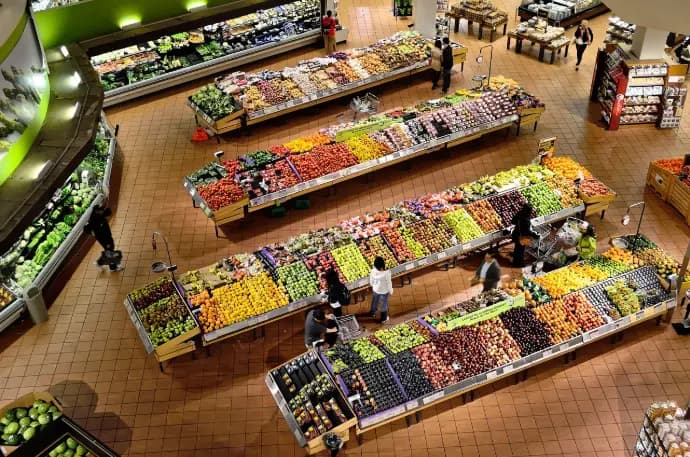
Retail & ecommerce operations
Multi-channel retail across brick-and-mortar and Shopify ecommerce. Custom Odoo modules for Shopify sync, landed costs, fiscal printers, warehouse ops, and management reporting — cutting manual entry and speeding month-end reconciliation.
Logistics & warehouse
Odoo for high-volume trading and distribution — barcode-driven warehouse picking, shipping automation, and clearer stock states from purchase through delivery.
Continue with another published implementation in the portfolio.
No. This case study covers Shopify–Odoo automation and product-field automation only. Website performance optimization is tracked separately on the future portfolio register.
No. The connector moves agreed operational data between Shopify and Odoo. Product Automation applies domain-based field rules on product.template inside Odoo, with logging and Manual Run.
No. Activating a rule does not backfill existing products by itself. Operators use Manual Run for selected products or matching domains when a historical apply is required.
Rules and logs live in the client’s Odoo database under normal access control. Khichdi InfoTech configures and supports the solution; the client retains the system.
Next step
Share storefront volume, stock rules, and which sync paths you need first.
Share your constraint — Shopify sync, migration, POS, manufacturing, or warehouse automation — and we will recommend the right engagement type.
